

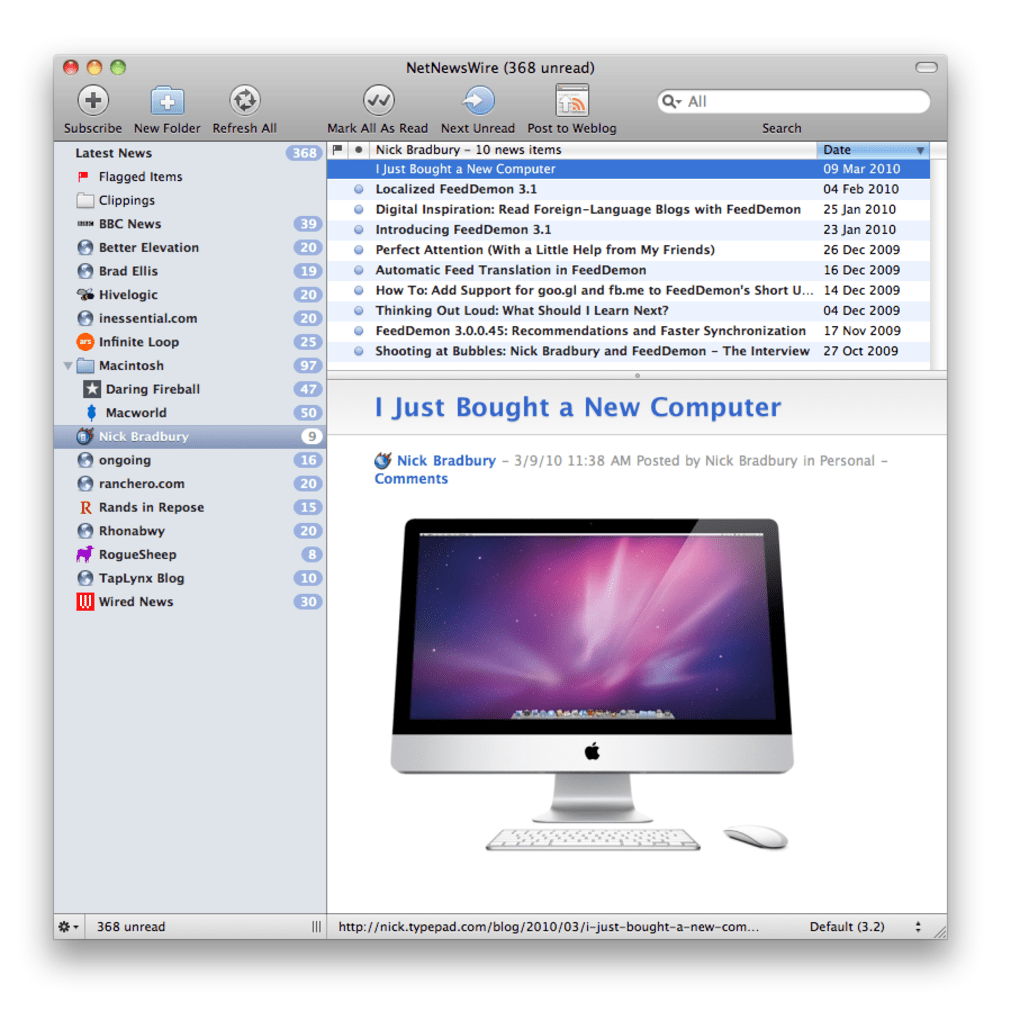
Description
Download NetNewsWire – Free, Secure RSS Reader for macOS
Overview
NetNewsWire is a veteran desktop RSS reader that has earned a loyal following among Mac users for more than a decade. Originally released when RSS was still a niche technology, the app survived the rise and fall of Google Reader and continues to thrive thanks to its clean interface, fast performance, and deep integration with macOS features like Spotlight, iCal, and iPhoto. The latest 3.3 release supports both Lion and Snow Leopard, offering full‑screen mode, improved concurrency handling, and a smoother sync experience with Google Reader (or any compatible service). Because it’s free, open‑source, and built specifically for macOS 10.6.8 or later, NetNewsWire is an attractive alternative to subscription‑based news aggregators. Whether you’re a power user who follows hundreds of feeds or a casual reader who just wants a tidy list of favorite blogs, NetNewsWire gives you the tools to organize, preview, and share content without ever leaving your desktop.
Key Features & Benefits
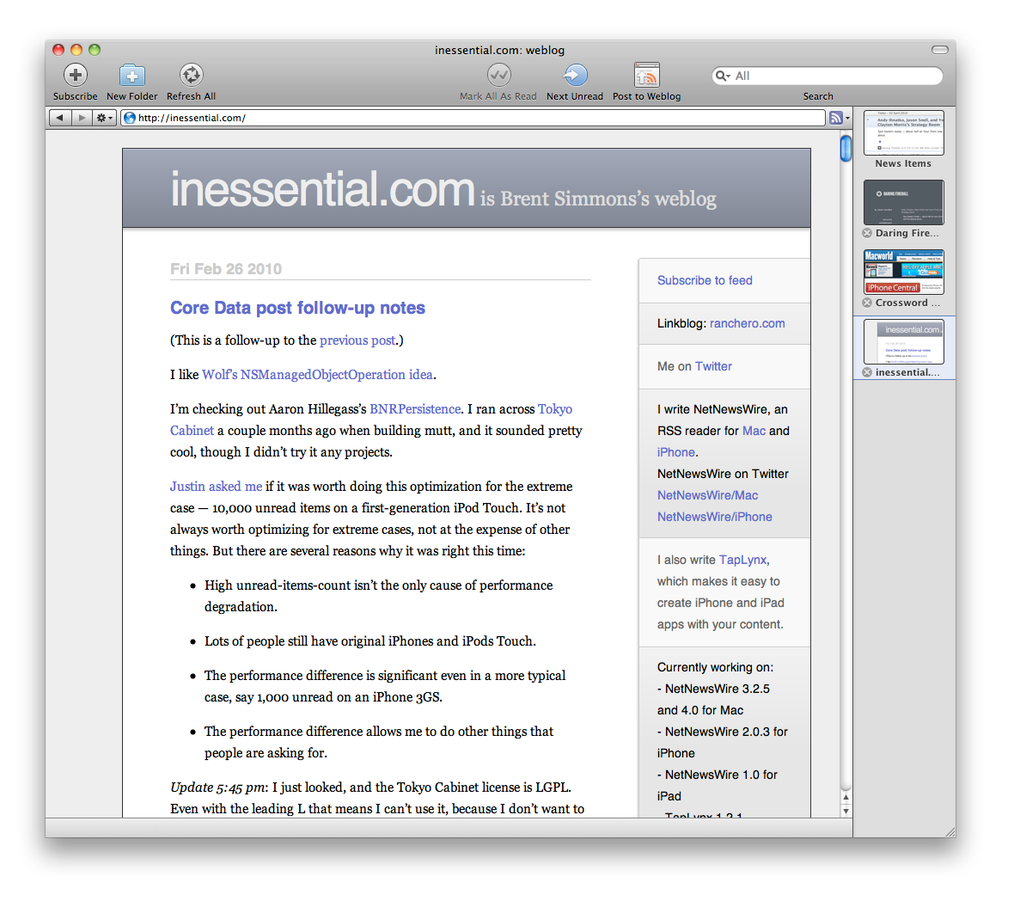
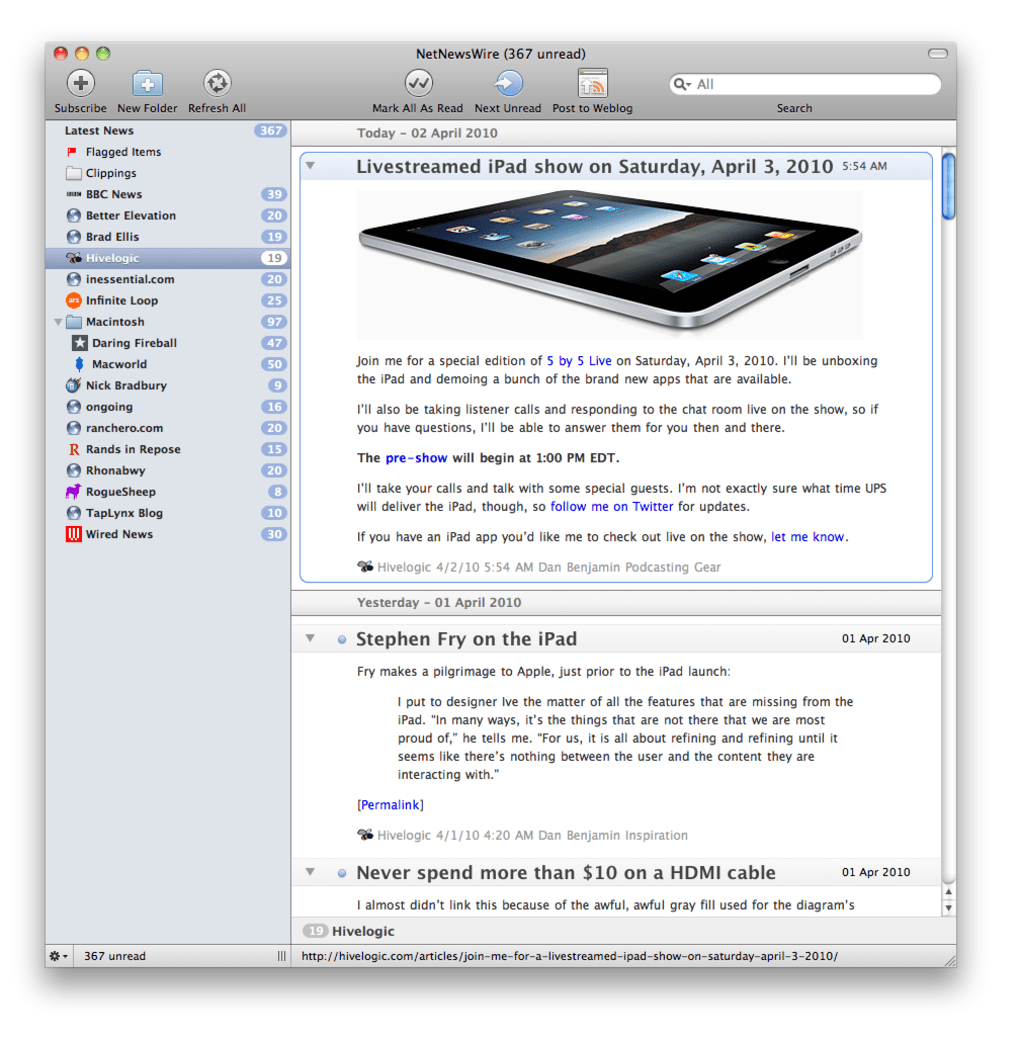
- Multiple Viewing Modes – Choose between Full‑Screen, Tabbed, or Combined layouts to suit your workflow.
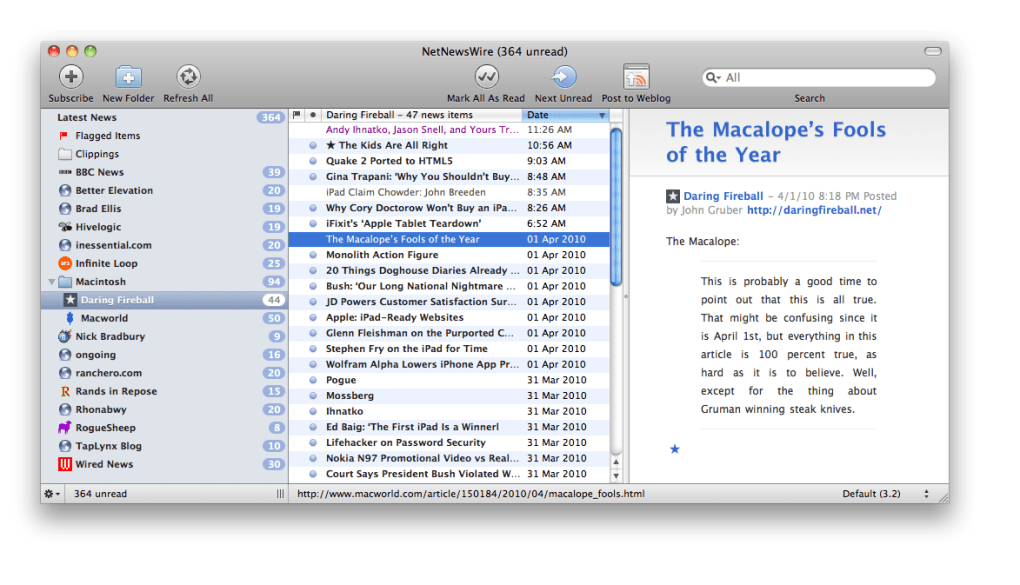
- Smart Lists & Sorting – Create dynamic smart lists that automatically filter items by keyword, date, or read status, and sort columns by headline, title, or publication date.
- In‑App Preview – Read article snippets directly in the interface, eliminating the need to open a browser for every story.
- Spotlight & System Integration – Indexes your feeds for quick Spotlight searches and syncs with iCal and iPhoto for calendar events and image handling.
- Social Sharing – One‑click posting to popular services like del.icio.us and Digg (or modern equivalents via custom scripts).
- Google Reader Sync – Seamlessly syncs read/unread status across devices, including iPhone, so you never duplicate effort.
- Scriptable Extensibility – Although there are no native plug‑ins, you can extend functionality with AppleScript or shell scripts, ideal for developers who want custom automation.
- Free & Open Source – No hidden fees, no trial period. The source code is publicly available, fostering community‑driven improvements.
These features combine to make NetNewsWire a professional‑grade tool that feels lightweight. The smart list engine, for instance, can automatically surface high‑priority stories based on your defined criteria, letting you focus on what matters most. Full‑screen mode on modern macOS versions provides a distraction‑free reading experience, while the built‑in search leverages Spotlight to instantly locate articles across all your feeds. Because the app is built with native Cocoa components, performance remains snappy even when handling large collections of feeds—though initial loading may take a few seconds for power users with thousands of subscriptions.
Installation & Usage Guide
Step‑by‑Step Installation
- Visit the official NetNewsWire website or the GitHub releases page.
- Download the
.dmgfile for macOS 10.6.8 or later. - Open the disk image and drag the NetNewsWire icon into your Applications folder.
- Launch the app; macOS may prompt you to confirm that you trust the developer—click Open.
- On first launch, you’ll be asked whether to import existing OPML files; this is handy if you’re switching from another reader.
Getting Started with Your Feeds
After installation, add new feeds by clicking the + button in the toolbar or by dragging an OPML file onto the sidebar. NetNewsWire will automatically download the latest articles and categorize them into your chosen view mode. To create a smart list, go to File > New Smart List and define rules based on keywords, dates, or read status. You can also enable full‑screen mode via View > Enter Full Screen for an immersive reading session.
Syncing Across Devices
If you still use Google Reader (or an alternative that supports the same API), enable sync in Preferences > Sync. Enter your credentials, and NetNewsWire will begin mirroring read/unread flags, starred items, and new subscriptions. For iPhone users, the native “NetNewsWire” app on iOS can be paired using the same Google Reader credentials, ensuring a seamless experience wherever you are.
Troubleshooting Common Issues
Large feed collections may cause a brief delay during the initial refresh. If you notice sluggishness, try disabling automatic refresh for less‑important feeds via the feed’s Properties panel. For sync errors, verify that your Google Reader credentials are up‑to‑date and that you have an active internet connection. The built‑in log (accessible from Window > Show Log) can help pinpoint networking problems.
Compatibility, Pros & Cons
NetNewsWire 3.3 requires macOS 10.6.8 or later. Users on macOS 10.5.8 should continue using version 3.2.15, which remains fully functional on older hardware. The application is optimized for both Intel and Apple Silicon Macs, with universal binaries that run natively on M1/M2 chips, delivering faster launch times and reduced CPU usage.
Pros
- Free and open‑source—no subscription fees.
- Native macOS design offers smooth performance and system integration.
- Robust smart‑list engine for advanced filtering.
- Full‑screen mode and multiple layout options cater to varied reading styles.
- Reliable Google Reader sync keeps desktop and mobile devices in harmony.
- Extensible via AppleScript for power users.
Cons
- No built‑in plug‑in marketplace; customization requires scripting knowledge.
- Initial feed loading can be slow with very large subscription lists.
- Limited social‑sharing options compared to newer cloud‑based readers.
- Only available for macOS; no native Windows or Linux version.
Overall, the strengths of NetNewsWire far outweigh its minor drawbacks, especially for users who prioritize privacy, speed, and a clutter‑free reading environment. The absence of a native Windows client may push cross‑platform users toward alternatives, but the macOS‑only focus allows the developers to fine‑tune performance and integration, resulting in a superior user experience on Apple hardware.
Frequently Asked Questions
Is NetNewsWire still actively maintained?
Yes. The project receives regular updates on GitHub, with the latest stable release (3.3) supporting macOS 10.6.8 and later. Bug fixes, security patches, and feature enhancements are posted frequently.
Can I import my existing subscriptions from another RSS reader?
Absolutely. NetNewsWire supports OPML import, which is the standard format for exchanging feed lists. Simply choose File > Import OPML… and select the file exported from your previous reader.
Does NetNewsWire work on Apple Silicon Macs?
Yes. The application includes a universal binary that runs natively on both Intel and Apple Silicon processors, delivering faster startup and lower power consumption on M1/M2 machines.
How does the Google Reader sync function work now that Google Reader is discontinued?
NetNewsWire uses the same RSS‑cloud API that Google Reader employed. Many third‑party services (e.g., Inoreader, Feedly) provide compatible endpoints, allowing you to sync using your existing credentials or API tokens.
Is there a way to automate actions like marking articles as read?
Yes. NetNewsWire supports AppleScript and shell scripts. You can write a script that marks all items older than a certain date as read, then assign it to a menu shortcut for quick execution.
Conclusion & Call to Action
NetNewsWire stands out as a polished, free RSS reader that respects the Mac ecosystem while delivering powerful features like smart lists, full‑screen reading, and reliable sync across devices. Its open‑source nature ensures transparency, and the tight integration with macOS utilities makes daily news consumption feel effortless. If you value speed, privacy, and a clutter‑free interface, NetNewsWire is the ideal choice for both casual browsers and power users alike. Ready to streamline your news workflow? Download NetNewsWire now and experience a smoother, more organized reading experience on your Mac today.
Guides & Tutorials for NetNewsWire
How to install NetNewsWire
- Click the Preview / Download button above.
- Once redirected, accept the terms and click Install.
- Wait for the NetNewsWire download to finish on your device.
How to use NetNewsWire
This software is primarily used for its core features described above. Open the app after installation to explore its capabilities.
User Reviews for NetNewsWire 0
No reviews found





.webp)